Choosing the right gaming mouse can completely transform your experience. Whether you’re playing Valorant, Fortnite, or FIFA, the difference between a regular mouse and a professional gaming mouse is evident in precision, speed, and comfort. In this guide, we present the best gaming mice in 2026 based on your needs.
🏆 Best Gaming Mouse Overall: Logitech Pro X2 SuperStrike
If you want a single mouse that combines all the fantastic features, this is the top choice. The mouse is extremely light at just 61 grams and uses the new HITS technology (Haptic Inductive Trigger System), which makes the clicks respond with incredible precision. With the Hero 2 sensor, which reaches up to 44,000 DPI, you’ll notice the difference in competitive games right away. The battery lasts 90 hours and supports wireless charging.
⚡ Best Mouse for Competitive Gaming: Razer DeathAdder V4 Pro
Razer is known for delivering powerful devices, and the DeathAdder V4 Pro doesn’t disappoint. The mouse is comfortable for long gaming sessions thanks to its ergonomic design, and its new optical sensor provides fantastic precision. It’s ideal for battle royale games and competitive games that require speed and precision in aiming.
💰 Best Budget Gaming Mouse: SteelSeries Rival 3 Gen 2
Don’t have a big budget? This mouse offers excellent performance at an affordable price. It has great build quality, a precise sensor, and a lightweight design. It’s perfect for beginners entering the PC gaming world without wanting to spend a large amount. It supports USB-C and has a shape that suits most grip styles.
🪶 Best Lightweight Wireless Mouse: Corsair Sabre V2 Pro
Weighing just 65 grams, this mouse features ultra-fast wireless connectivity. It’s designed specifically for FPS games and gives you complete freedom of movement without wires. Its sensor reaches up to 26,000 DPI with an 8,000Hz response rate in wired mode. An excellent choice if you want wireless without sacrificing performance.
🎮 Best Mouse for MMO and MOBA Games: Corsair Scimitar Elite
If you play World of Warcraft or League of Legends, you’ll need plenty of side buttons. This mouse has 12 side buttons that you can fully customize to your liking. You can also adjust the side buttons to fit your hand size. Very comfortable for long sessions.
📏 Best Lightweight and Compact Mouse: HyperX Pulsefire Haste 2 Mini
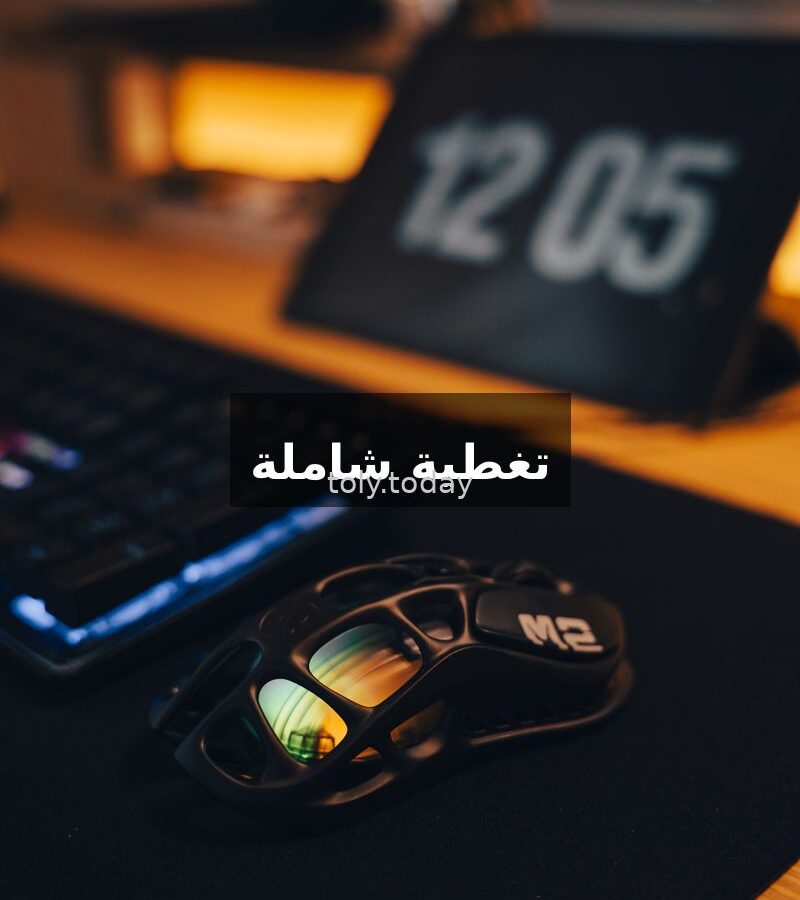
For players who prefer small hands or fingertip grip. This mouse is small, very light, and has an excellent mesh design for ventilation. Its price is great compared to its specifications.
🛋️ Best Comfortable Mouse: Logitech G502 X Lightspeed
The legendary G502 returns in its new wireless form. It has an excellent ergonomic design suitable for long gaming sessions, additional programmable buttons, and a balanced weight. The new magnetic button technology (Lightforce) makes every click sharp and clear. The battery lasts 120 hours.
🤔 How to Choose the Right Gaming Mouse for You?
- Game Type: FPS games require a lightweight mouse with high DPI. Strategy and MMO games need many side buttons.
- Hand Size: Mice come in different sizes. Large hands need a bigger mouse, while small hands need a compact one like the HyperX Pulsefire Haste 2 Mini.
- Wired or Wireless: Wireless mice today are just as fast as wired ones thanks to modern technology. The difference is only in price.
- DPI: Most players need between 800 and 1600 DPI for gaming. Don’t be fooled by exaggerated numbers like 40,000 DPI—you likely won’t use them.
- Budget: There are excellent options ranging from 100 to 700 Saudi Riyals. The difference lies in weight, sensor quality, and durability.
❓ Frequently Asked Questions
Q: Is a wireless mouse suitable for competitive gaming?
A: Yes, modern technologies like Logitech Lightspeed and Razer HyperSpeed
Delay is almost zero. Many professionals use wireless mice today.
Q: How much DPI do I need for gaming?
A: Most players use between 800 and 1600 DPI. Very high DPI (3000+) may be needed if you have a 4K or higher resolution screen.
Q: What’s the difference between Optical and Laser in mice?
A: Optical mice are better for gaming right now. More accurate, faster, and don’t suffer from acceleration issues that were present in Laser mice.
Q: Are extra buttons worth it?
A: If you play MMO or MOBA games, yes, of course. If you play FPS, fewer buttons are better for lighter weight.